
A 4-week course
Learn to use AI tools for real work
One short lesson a day. Each one covers a single task, like answering an email or cleaning a spreadsheet, and ends with something to try on your own work.
About 2 minutes. It sets your starting level and your daily time.
- 5 to 20 minutes a day
- No code
- Certificate at the end

How it works
Three steps, then one lesson a day
- 1
Take the quiz
Tell us what you do, what you already know and how much time you have each day.
- 2
Do one lesson a day
Each lesson explains one task in plain language and gives you the prompts to use.
- 3
Try it on your own work
Every lesson ends with a practice task. After four weeks you have a set of workflows and a certificate.
What you'll learn
The tasks that fill a working week
The course follows everyday office work, not theory. These are the five areas it covers.

Emails and messages
Draft replies, change the tone and turn rough notes into a message you can send.
- Reply to a long thread
- Make it shorter or warmer
- Notes into a clear update

Documents and reports
Summarise long files, build an outline and tidy a draft before it goes out.
- Summarise a long file
- Outline a report
- Edit a draft for clarity
Spreadsheets and data
Clean messy lists, get formulas written and explained, and describe what a table shows.
- Clean a messy list
- Write and explain formulas
- Describe what the numbers show

Research
Look into a topic, compare sources and check an answer before you rely on it.
- Compare sources
- Pull out the key points
- Check an answer
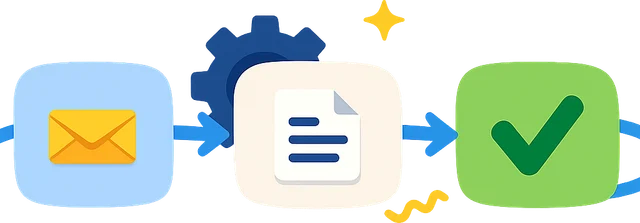
Repetitive tasks
Turn a job you do every week into a saved prompt or a step-by-step workflow.
- Save prompts you reuse
- Templates for weekly tasks
- Chain steps into a workflow

A daily lesson
Short enough to finish with your coffee
Lessons are written for people who have never used AI tools, and they stay useful if you have.
- One task
- A lesson never tries to teach more than one thing.
- Prompts to copy and change
- You get the wording, then make it yours.
- A practice task
- You try it on an email, file or list of your own.
- 5 to 20 minutes
- You choose the daily time in the quiz.
Four weeks
From your first prompt to your own workflows
Week 1
Basics
What AI tools are good at, and how to ask for what you need.
Week 2
Your tasks
Emails, messages and documents: the writing most jobs are made of.
Week 3
Workflows
Spreadsheets, research and planning, then linking steps together.
Week 4
Using it daily
Make it a habit, build your own workflow and finish with the certificate.
When you finish
A certificate of completion
Complete the four weeks and download a certificate with your name on it. It confirms that you finished the course. It is not an accredited qualification.

Common questions
A 4-week online course of short daily lessons on using AI tools at work: emails, documents, spreadsheets, research and repetitive tasks. You finish with a certificate of completion.
Find your starting point
The quiz takes about 2 minutes and sets up the course for your level, your tasks and your daily time.
Start the quiz